Where do you enter the 1xBet promo code XPUMP when you sign up in 2026?
· based on the channel Ravion
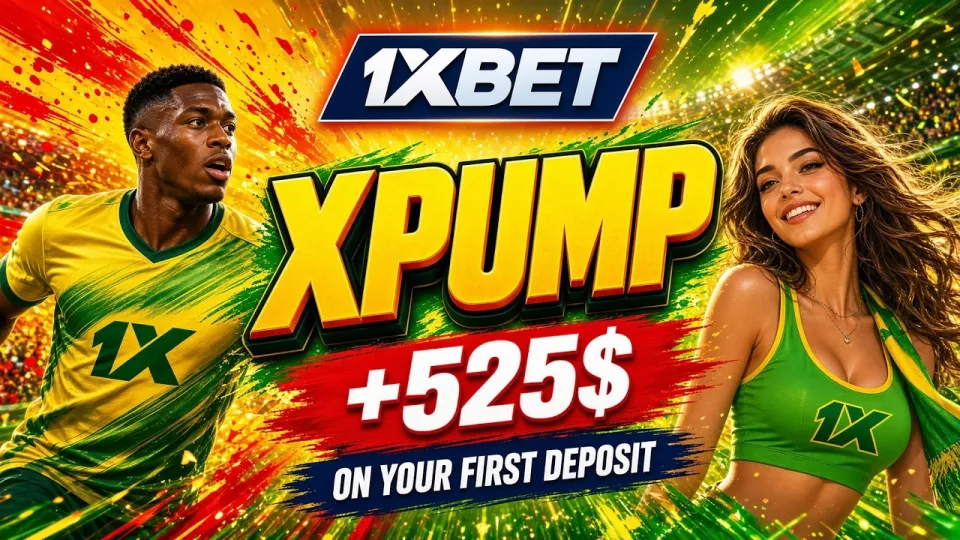
The 1xBet promo code XPUMP is entered in the promo code field of the registration form, before the account is created and before the first deposit is confirmed. You type XPUMP into that single field on the sign-up page, then complete registration; there is no separate promo code box in the cashier, in the bet slip or in the mobile app settings. The code is tied to the 1xBet welcome bonus page, which advertises up to $525 on the first deposit for new customers who register with XPUMP.
What the XPUMP code actually does on 1xBet Casino
XPUMP is a welcome promo code, not a free-spin voucher and not a no-deposit bonus. Its job is to attach the advertised first-deposit offer to a brand-new account at the moment of registration. In practice that means three things: the code has to be typed before the account exists, it has to be confirmed before the first deposit is credited, and it applies once per person, per account and per payment method.
The headline figure promoted alongside the code is up to $525 on the first deposit, with the exact amount depending on what you deposit and which welcome package tier the account qualifies for. 1xBet runs a combined sportsbook and casino product, so the welcome package is usually split between a sports bonus and casino bonus money rather than handed over as a single lump sum. The code itself does not change the wagering rules; it only flags the account as having arrived through the promo route.
Where to enter the 1xBet promo code XPUMP step by step
- Open the 1xBet registration page through the promo link so the code field is pre-flagged for the welcome offer.
- Choose a registration method: one click, by phone number, by email, or via a social network or messenger profile.
- Fill in the country, currency and the details the form asks for. Pick the account currency carefully, because it cannot be changed later without support involvement.
- Find the field labelled as a promo code or bonus code. It sits inside the registration form itself, usually below the password and currency fields. On the one-click form it may be hidden behind a small toggle, so expand the form fully before submitting.
- Type XPUMP in uppercase, with no spaces and no dashes.
- Tick the box confirming you are over 18 and accept the terms, then submit the form.
- Log in, open the cashier and make the first deposit. The bonus is credited after the deposit is confirmed, not at the moment the form is submitted.
If the field is empty when you submit, the account is created as an ordinary account and the welcome offer is not attached. That is the single most common reason people report that a code "did not work".
What to check if the XPUMP field is missing or the code is rejected
A missing promo code field almost always means the registration form was opened in a collapsed state or through an affiliate link that already carries a different offer. Reload the sign-up page in a desktop browser, expand every section of the form, and check again; the mobile app sometimes hides the field behind an extra step. If the code is rejected outright, check for a trailing space, a lowercase entry, or a Cyrillic character that looks like a Latin letter.
A second cause is an existing account. 1xBet does not let you add XPUMP to an account that was created without it, and creating a duplicate account to use the code breaches the terms and risks both accounts being closed. If you already registered, the practical answer is that the code is no longer available to you on that profile.
Common questions from viewers about the XPUMP code
The questions that come up most often around this code are about timing and eligibility rather than about the field itself. People want to know whether the code can be added after registering, whether it works on the app, and whether the advertised amount is guaranteed. The short answers: no, yes, and no.
On the app, the flow is the same as on desktop, but the promo code field is easier to miss because the registration screen is compressed. Switch to the full form rather than the one-click option if you cannot see it. On the amount, the advertised ceiling of up to $525 is a maximum, not a promise; smaller first deposits produce proportionally smaller bonuses, and the casino and sports portions of the package follow separate wagering requirements that you should read before depositing.
How the welcome bonus is credited and what happens next
Crediting is automatic once the first deposit is confirmed, provided XPUMP was in the form. The bonus does not land in your main balance as withdrawable cash; it arrives as bonus funds with a wagering requirement attached, typically expressed as a multiplier on the bonus amount, with a time limit counted from the day of crediting. Casino bonus money usually has to be played through on qualifying slots, while the sports portion is released through qualifying bets at minimum odds.
Withdrawing before the wagering is complete generally voids the remaining bonus. If you want to keep the offer, plan the playthrough before you deposit rather than after, and check whether your chosen payment method is excluded from bonus qualification, since some deposit routes do not trigger welcome offers.
The promo link used in the breakdown
The only link referenced alongside the code is the bonus page itself: https://kliky.cc/1x_bonus. It opens the 1xBet welcome offer page where the XPUMP code is advertised together with the first-deposit terms. No other links were provided with the guide.
Summary
XPUMP belongs in the promo code field of the 1xBet registration form, entered before the account is created and confirmed before the first deposit. Get that order right and the welcome package, advertised at up to $525 on the first deposit, is attached automatically; get it wrong and there is no way to add the code retroactively. The step-by-step breakdown above comes from the Ravion channel's 2026 guide to the XPUMP code, which covers the entry point and the final checks in a short walkthrough. New players can start from the XPUMP welcome bonus page and register with the code in place from the first screen.
Key takeaways
- The XPUMP code is entered in the promo code field of the 1xBet registration form, not in the cashier.
- The code must be applied before the first deposit is confirmed to count toward the welcome bonus.
- The advertised welcome offer is up to $525 on the first deposit, per the promo link in the source video.
- One promo code per account: XPUMP cannot be stacked with other codes or added after registration.
- Existing 1xBet accounts cannot retroactively apply XPUMP to a completed registration.
Questions & answers
Can I enter the 1xBet promo code XPUMP after I have already registered?
No. The promo code field exists only inside the registration form, so an account created without XPUMP cannot have it added later. Creating a second account to use the code violates the terms and puts both profiles at risk of closure.
Does the XPUMP code work in the 1xBet mobile app?
Yes, the code works in the app, but the promo code field is easy to miss on the compressed one-click registration screen. Switch to the full registration form, expand it, and type XPUMP before submitting.
Is the up to $525 first-deposit amount guaranteed with XPUMP?
No, that is a ceiling rather than a fixed payout. The actual bonus depends on your first deposit size and the welcome package tier your account qualifies for, and it arrives as bonus funds with wagering requirements attached.
Do I need to deposit before or after typing XPUMP?
Type XPUMP during registration, before the account is created, then make your first deposit afterwards. The bonus is credited once that deposit is confirmed, not at the moment you submit the sign-up form.
Source: Where Do You Enter 1xBet Promo Code XPUMP? Here's the Straight Answer for 2026 · Markdown version